

Inline with Google Play store Data Policy we have updated BiasharaBook to allow users to CREATE and DELETE their account from the app.The DELETE option asks the account holder to first delete their business details such as staff or branch accounts. This option is available to both retailer and wholesaler profile.
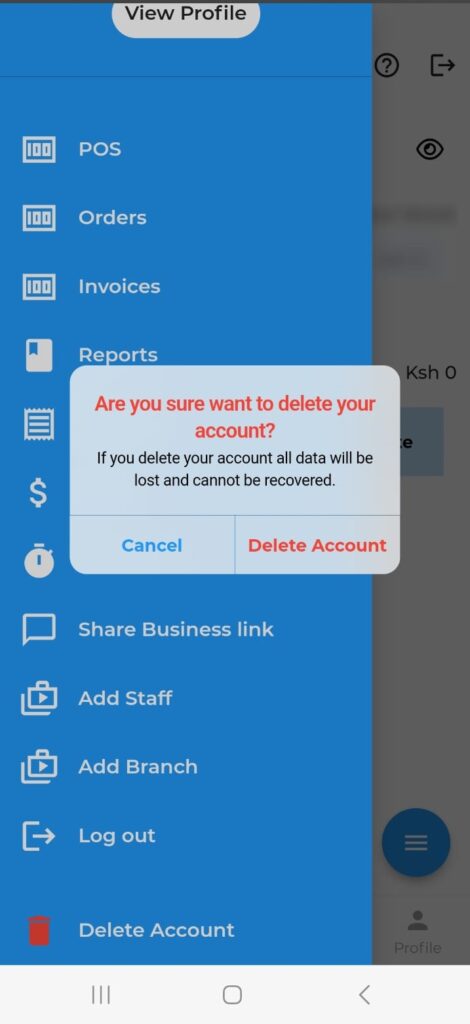
- Once you login to the app , click on the main menu(Top left Blue Button)
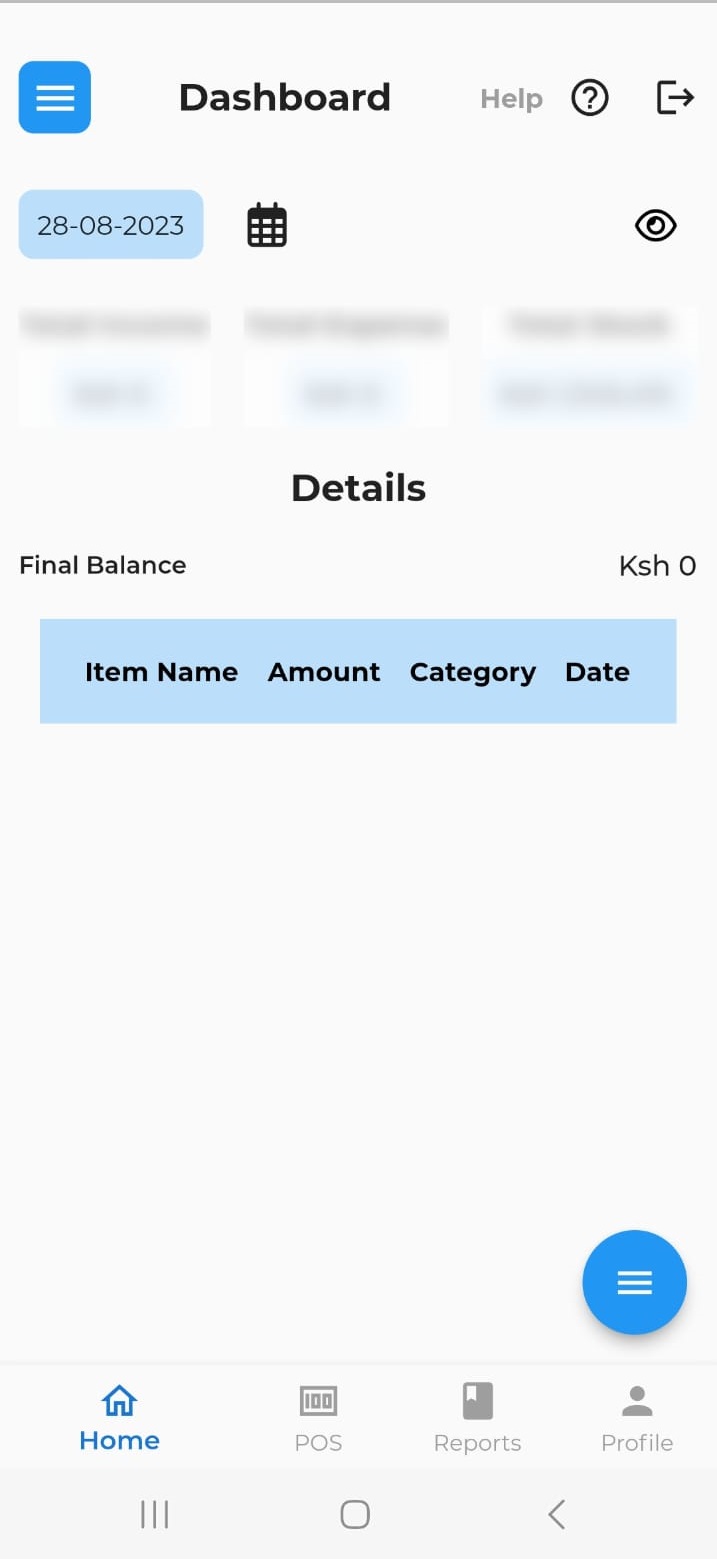
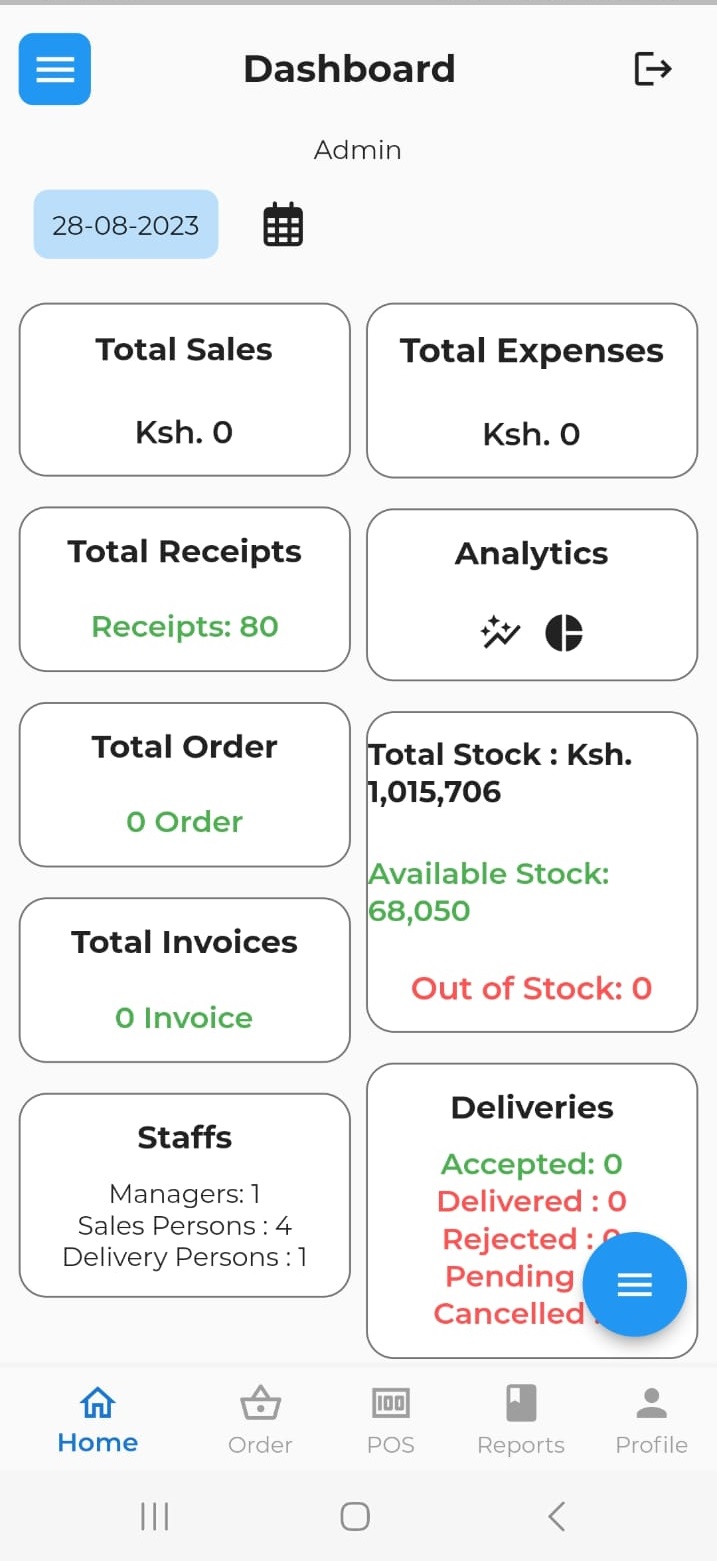
2. Scroll down you will see delete menu
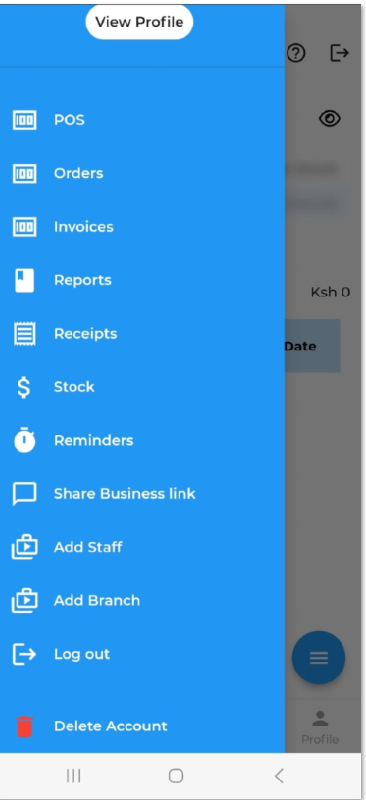
3. Click on it confirm before deleting in the case there are staff account delete them before deleting main account.
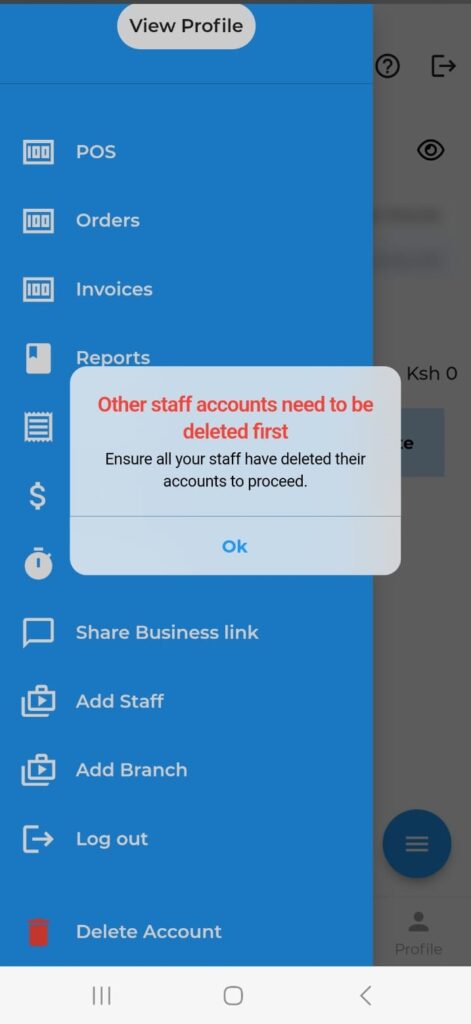
Once there are no staff account existing confirm deleting user account note the data will not be recovered.
That’s it how to delete user account data which is now removed from our system.